Training Course on Intermediate Excel (DMC003)
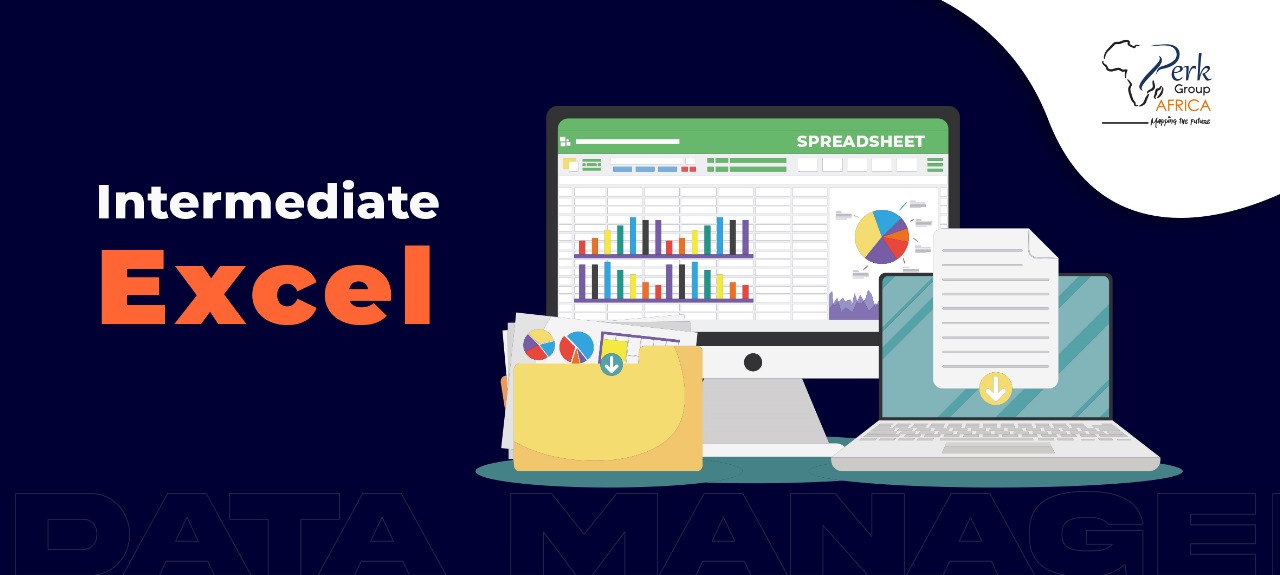
Training Course on Intermediate Excel
This course is fundamentally designed to improve participants’ skills and knowledge in Microsoft excel. The course will equip participants with the essential skills to boost their productivity, improve data accuracy, and make informed decisions using Excel’s advanced features and functionalities.
The participants will gain a comprehensive understanding of intermediate-level Excel functions and techniques. They will learn how to efficiently manage and manipulate data, perform complex calculations, and create professional-looking spreadsheets.
This course is designed for individuals who have a basic understanding of Excel and want to enhance their proficiency in data analysis, formula building, and data visualization.
Course Duration
Online Training: 7 days (4hrs per day)
Classroom Training: 5 days (7hrs per day)
Course Objectives
- Boost productivity through efficient data management and automation.
- Improve data accuracy by applying advanced formulas, functions, and validation tools.
- Perform complex calculations using logical, statistical, financial, and mathematical functions.
- Analyze and manipulate data effectively with PivotTables, conditional formatting, and what-if analysis.
- Create professional and dynamic reports using advanced data visualization techniques, dashboards, and interactive charts.
- Strengthen decision-making capabilities by leveraging Excel’s advanced features for data-driven insights.
Course Outline
Module 1: Advanced Formulas and Functions
- Review of basic Excel functions and formulas
- Working with logical functions (IF, AND, OR)
- Using lookup functions (VLOOKUP, HLOOKUP, INDEX, MATCH)
- Applying text functions (LEFT, RIGHT, MID, CONCATENATE)
- Introduction to array formulas
Module 2: Data Analysis and Manipulation
- Sorting and filtering data
- Using advanced data validation techniques
- Applying conditional formatting
- Working with data tables and what-if analysis
- Introduction to PivotTables and PivotCharts
Module 3: Working with Advanced Functions
- Working with date and time functions
- Utilizing statistical functions (AVERAGE, COUNT, MAX, MIN)
- Performing mathematical calculations (SUMPRODUCT, ROUND, ABS)
- Using financial functions (NPV, IRR, PMT)
- Customizing and creating user-defined functions (UDFs)
Module 4: Data Visualization and Reporting
- Creating dynamic charts and graphs
- Customizing chart elements and formatting options
- Building interactive dashboards
- Utilizing slicers and timelines
- Generating reports with data visualization techniques
Module 5: Advanced Data Management Techniques
- Working with tables and structured references
- Using data validation and conditional logic
- Advanced filtering techniques
- Data consolidation and linking
- Automating tasks with macros
Note: The specific content, activities, and duration of each session may be adjusted based on the target audience, learning objectives, and available time.
Course Language
English
Training Methodology
Presentations are well guided, practical exercise, a plenary presentation, and group work. Participants are encouraged to bring any data relevant to their job responsibilities. This is hands-on, product-oriented training and will mostly involve practical exercises. Each participant MUST bring along their own working laptop and android phone.
Certification
Upon completion of training, the participant will be issued with a certificate of Completion.
Frequently Asked Questions
Common questions about the Training Course on Intermediate Excel course.
Intermediate Excel covers the skills between basic spreadsheet use (typing data, simple formulas) and advanced Excel (Power Query, DAX, VBA). It includes formula complexity (IF, AND, OR, nested logical functions), lookup functions (VLOOKUP, HLOOKUP, INDEX-MATCH), basic pivot tables, conditional formatting, data validation, named ranges, basic charts and trendlines, and structured tables. Most NGO finance and M&E daily work happens at intermediate level — making it the most practically valuable Excel competency for the broadest set of staff roles in the sector.
Pivot tables are a feature of Excel that summarises large tabular datasets by dragging fields into rows, columns, values and filters — producing aggregated views (sums, averages, counts, percentages) without writing formulas. They're ideal for cross-tabulating survey data, summarising programme results by location and quarter, or analysing donor disbursements by project. Pivot tables update dynamically when source data changes, support drill-down to underlying records, and integrate with pivot charts for visualisation. They are the single most-used Excel feature for data analysis in NGO and corporate work.
VLOOKUP is an Excel function that looks up a value in the leftmost column of a table and returns a value from a specified column in the same row. Syntax: VLOOKUP(lookup_value, table_array, col_index_num, [range_lookup]). It's used for matching IDs across spreadsheets — joining beneficiary lists with demographic data, looking up exchange rates by currency code, mapping budget codes to descriptions. VLOOKUP has limitations: it only looks rightward and breaks when columns are inserted. Modern Excel users increasingly prefer XLOOKUP or INDEX-MATCH, which are more flexible.
Finance, admin, operations, HR, M&E and project staff who use Excel daily and want to move confidently beyond simple spreadsheets. Graduate trainees joining professional roles often attend to level up their core tool.
Advanced formulas (VLOOKUP, HLOOKUP, INDEX/MATCH, nested IF, SUMIF/SUMIFS, COUNTIF/COUNTIFS), PivotTables and PivotCharts, conditional formatting, data validation, basic charting, named ranges, text functions, date/time calculations, and simple data cleaning.
Basic Excel comfort is expected — typing formulas, saving workbooks, selecting ranges. If you are completely new to Excel, we recommend starting with a free beginner tutorial first. Participants who have used Excel for 6+ months generally follow comfortably.
Online and in-person at our training venues across Nairobi, Kigali, Mombasa, Lagos, Cape Town, Addis Ababa, Juba, Cairo and Dubai. Both formats are hands-on. Both issue the Perk Group Africa certificate of completion with a verification code.
Related Courses
Explore more courses in Data Management & Analysis